Popular cars first, by country
order: "popular" ranks models by real registrations, and country uses that country's own order. The Golf before the 412.
For booking, quote and listing forms
Your quote form


Volkswagen Golf
Stored
"car/volkswagen/golf"
make "Volkswagen" · model "Golf" · year null
Free with an account.
No account needed
This block works as it is, with no key and no sign-up. It reads the open dataset from a CDN: one file of about 0.6 MB compressed, loaded once per page. The credit line under the selector stays on.
Paste where the vehicle fields go
<label for="vehicle-make">Make</label>
<select id="vehicle-make" name="make"></select>

<label for="vehicle-model">Model</label>
<select id="vehicle-model" name="model"></select>

<label for="vehicle-year">Year</label>
<select id="vehicle-year" name="year"></select>

<script src="https://cdn.jsdelivr.net/npm/make-model-dropdown@0.4.1"></script>
<script>
  VehiclesDropdown.attach({
    make: "#vehicle-make",
    model: "#vehicle-model",
    year: "#vehicle-year",
    kind: "car",
    order: "popular",
    includeOther: true,
    otherLabel: "Other / not listed",
    placeholderMake: "Make",
    placeholderModel: "Model",
    placeholderYear: "Year",
    source: "dataset"
  })
</script>
What a free account adds
The code
Two or three select boxes, one script tag and one call. The make list fills first, each make's models load when it is picked (a dependent dropdown, with nothing to wire up), and a hidden field keeps the vehicle's id. The fields stay native, so they submit with your form like any other.
Replace vdb_pk_YOUR_PUBLIC_KEY
with your public key. Public keys (vdb_pk_) are safe in a browser
and can be locked to your domains.
Paste where the vehicle fields go
<select id="make" name="make"></select>
<select id="model" name="model"></select>
<select id="year" name="year"></select>
<input type="hidden" id="vehicle_id" name="vehicle_id">

<script src="https://cdn.jsdelivr.net/npm/make-model-dropdown@0.4.1"></script>
<script>
  VehiclesDropdown.attach({
    key: "vdb_pk_YOUR_PUBLIC_KEY",
    make: "#make",
    model: "#model",
    year: "#year",
    idInput: "#vehicle_id",
    search: true,
    logos: true
  })
</script>Using Claude, ChatGPT, Cursor or another AI assistant? Copy this and paste it there.
VehiclesDB (https://vehiclesdb.com) is a dataset and API of vehicle makes and models from official registration records. Task: add the make and model selector to a website.

Goal: in the form on your-website.com, let people pick a make, then a model, from lists instead of typing.

Steps:
1. Paste this where the selector should appear, inside the form:

<select id="vehicle-make" name="make"></select>
<select id="vehicle-model" name="model"></select>
<input type="hidden" id="vehicle-id" name="vehicle_id">
<script src="https://cdn.jsdelivr.net/npm/make-model-dropdown@0.4.1"></script>
<script>
  VehiclesDropdown.attach({
    key: "vdb_pk_YOUR_PUBLIC_KEY",
    make: "#vehicle-make",
    model: "#vehicle-model",
    idInput: "#vehicle-id",
    kind: "car",
    order: "popular"
  })
</script>

2. On submit the form sends "vehicle_id" (the id, like car/volkswagen/golf) plus "make" and "model" as slugs (like volkswagen and golf), not names. Store vehicle_id.
3. Keep the public key exactly as it is. It is locked to your-website.com (the owner sets this in VehiclesDB, Settings, API keys), so it only works there; add localhost in the same place to try it locally.

Options you may add to attach(): kind ("car", "motorcycle", "moped", "van", "truck", "bus"), country (two-letter code), order ("popular" or "alphabetical"), includeOther, placeholderMake, placeholderModel, locale ("en" or "es"), onChange. Do not invent others.

No key yet? The same selector works with no account: leave out key and add source: "dataset", and it reads the open VehiclesDB dataset file from the CDN. A key adds make logos and the most registered makes at the top of the list.

Credit: the selector shows a small "Vehicle data by VehiclesDB" line by itself. Leave it visible unless your plan removes the credit (Starter, $9 a month, does).

Rules:
- Ids look like car/volkswagen/golf. Store ids. A renamed id answers 301 with the new one: follow it and save the new id.
- Errors are JSON with an "error" code: branch on it. 402 = out of credits, 429 = wait the Retry-After seconds, then retry.
- Never put a secret key (vdb_sk_…) in browser code, and never commit it. Public keys (vdb_pk_…) are made for web pages.
- Do not scrape vehiclesdb.com, do not remove or hide the credit, and do not invent endpoints or options: check the reference.

Read:
- API reference: https://vehiclesdb.com/api
- OpenAPI spec: https://vehiclesdb.com/openapi.json
- Guide: https://vehiclesdb.com/getting-started
- Credit line formats: https://vehiclesdb.com/legal/attribution
- API terms: https://vehiclesdb.com/legal/api-terms
- Selector options: https://vehiclesdb.com/make-and-model-dropdown
Playground
Each switch changes the live selector and the code under it. What you copy is what you just tried.
Only what that country's register has on record, in its own popularity order.
Preselect
A slug, a name or an alias, as an edit form would.
Preview
{}
The code for this setup
What your form stores
Names get misspelt, translated and renamed. The canonical id does not move, so your reports, prices and lookups keep pointing at the same vehicle.
Picked in the dropdown
Volkswagen›Golf
The widget writes it to idInput
Typed into Other
"vw golf"
POST /api/v1/resolve, from your server
Saved by an older form
"Rabbit"
A stored name is matched, alias included

Stored in your database
car/volkswagen/golf
kind/make/model: the same id the API, the vehicles gem and the open dataset use.
car/volvo/xc40-recharge
former_ids
car/volvo/xc40
What the data does
The list behind the dropdown comes from official vehicle registers. It knows which cars are popular, which countries have them and which years they were on the road.
order: "popular" ranks models by real registrations, and country uses that country's own order. The Golf before the 412.
search: true finds a make by name or alias.
includeOther: true keeps a way out for the rare and the brand new.
logos: true puts each make's badge beside its name, with a letter fallback where there is none. Logos are their owners' trademarks, shown to identify the make.

















country: "de" drops what Germany's register has never seen. Car models on record:
year: "#year" lists the years the registers have that model on record, newest first. No extra request.
2026 back to 1975
The hosted selector updates with each dataset release. Your page keeps the same script tag.
Every kind of vehicle
Cars, motorcycles, mopeds, vans, trucks and buses: the same widget for all six. Pass kind and the whole list narrows to it.
6,043 models · 321 makes
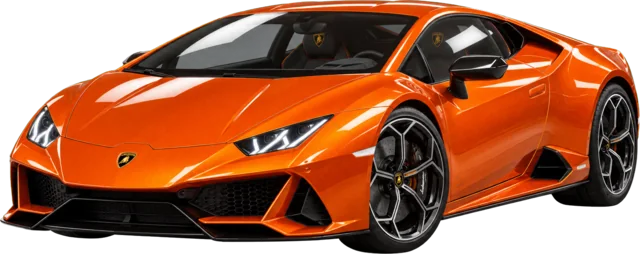
Hatchbacks, SUVs and roadsters, the most registered first.
kind: "car"
6,396 models · 289 makes
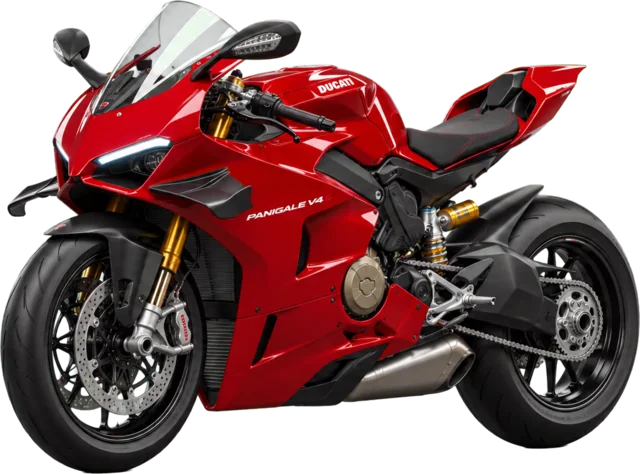
A motorcycle make and model dropdown with the names riders use: CBR600RR, not CBR.
kind: "motorcycle"
1,527 models · 329 makes
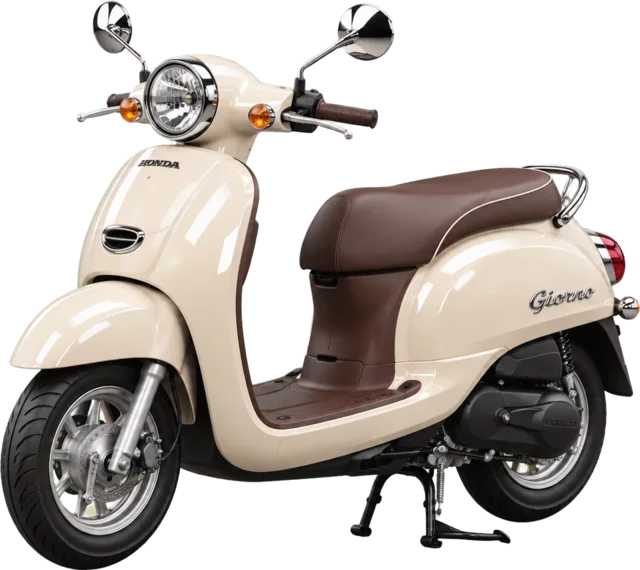
Scooters and the small machines that move whole cities.
kind: "moped"
810 models · 133 makes
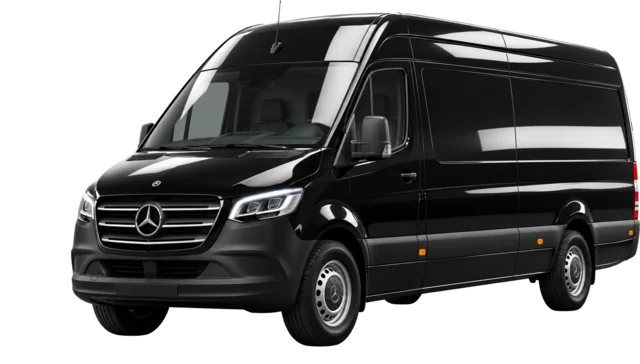
Panel vans, campers and people movers for trade and rental forms.
kind: "van"
1,223 models · 111 makes
Rigids, tractors and pickups for fleet and logistics forms.
kind: "truck"
438 models · 96 makes
City buses, coaches and minibuses for the biggest fleets.
kind: "bus"
Something else?
If you would rather fill your own dropdown, download the open dataset as JSON or CSV, free to use with credit under CC BY 4.0, or browse every car make and model first.
The selector can also read that open file directly, with no key:
source: "dataset".
Make logos and the shortlist of top makes need a key.
A parts or accessories shop can use the selector as the vehicle step of its search: shoppers pick the year, make and model, and you get a stable id to match against your own catalog.
We do not publish which parts fit which car. Your fitment table stays yours. Make, model and year data for parts selectors.
If your page can hold a <select>, the selector works there. No code at all?
The builder writes one block for your site.
Running a garage or tyre shop? Read the guide for garage and tyre shop booking forms.
Step by step, with how the make and model reach your form submissions, checked against each platform's own documentation.
Pricing
The selector is free with an account, and dropdown requests spend no credits. The one price of the free plan is a small credit line under the selector.
$0
Show “Vehicle data by VehiclesDB”, linked, wherever our data appears.
from $9 a month
Paid plans remove the line, and add API credits for resolving, full records, images and plates.
The waiver applies while you are subscribed. If you cancel, the credit line is required again.
The dataset files are open under CC BY 4.0. The hosted selector, the API, the images and the plates are VehiclesDB's service. How to credit
Selector
16,437 models · 976 makes · official registers of 18 countries
Already have an account? Sign in